
Try AI Metadata Generator
Upload up to 3 images and get AI-generated titles, descriptions, and keywords — free, no download required.
Need More? Download the Meita.ai Desktop App
This demo is just a taste. The full desktop app unlocks powerful features for professional stock photographers.
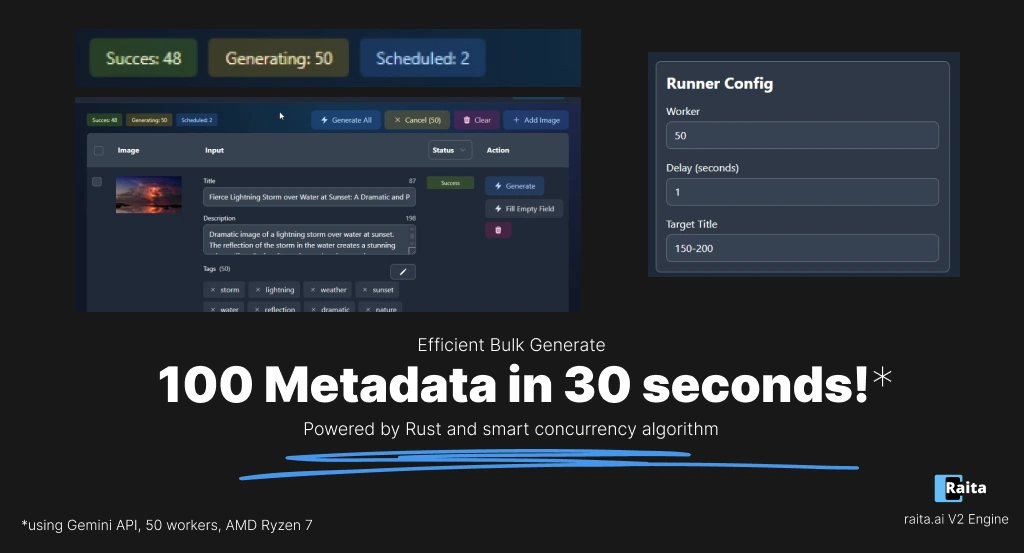
Bulk Processing
Process hundreds of images at once with parallel AI generation. Upload your entire shoot and get metadata for everything in minutes.
Direct Metadata Injection
Write EXIF/IPTC metadata directly into your image files — no need for separate tools. Upload to stock platforms with metadata already embedded.
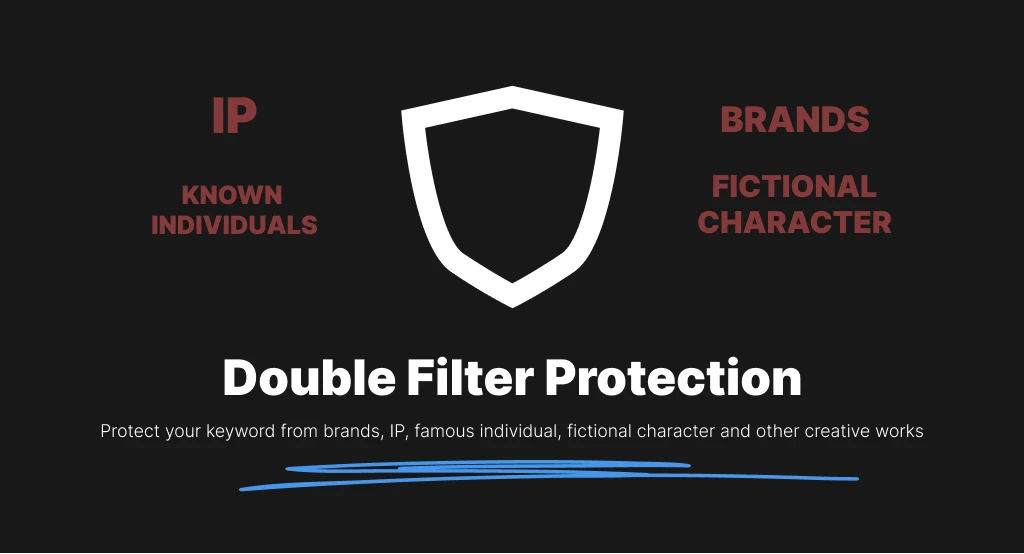
Branded Keyword Avoidance
Automatically filters out brand names, trademarks, and copyrighted terms from generated keywords to keep your submissions safe from stock platform rejections.
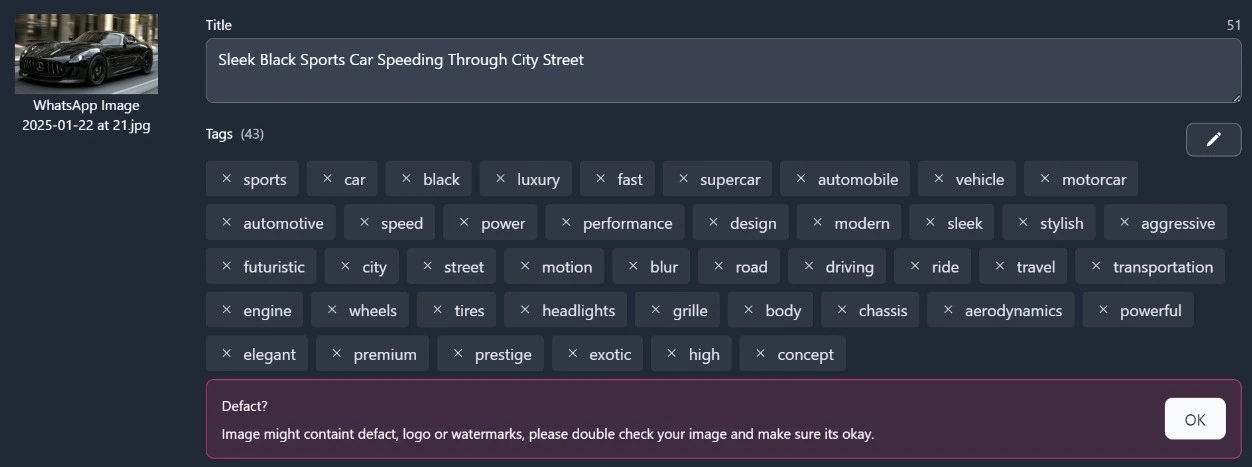
Smart Detection
Detects logos, watermarks, brand names, faces, and potential defects. Automatically flags high-risk content before you submit to stock platforms.
How It Works in the Meita.ai App
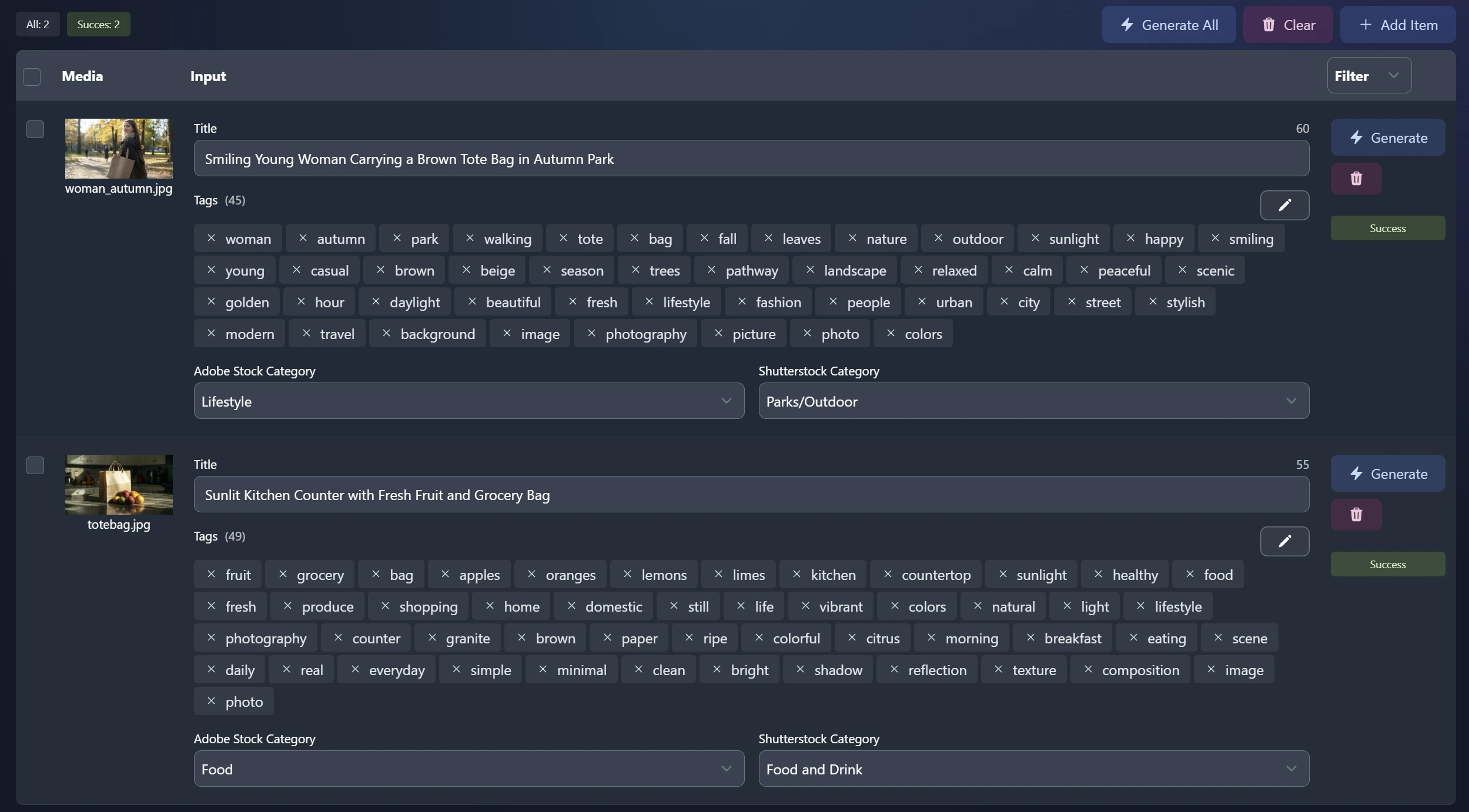
Here's what the full desktop experience looks like — from drag-and-drop to export.
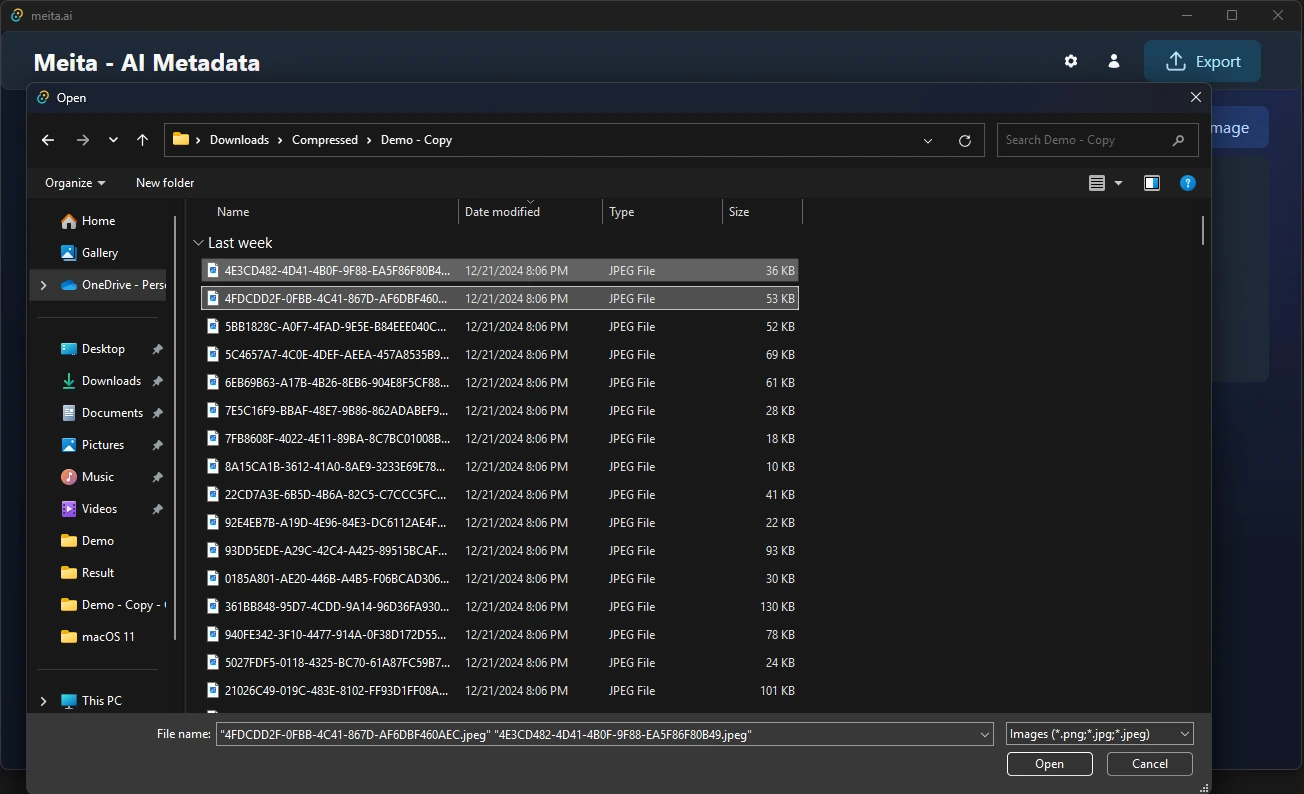
Upload Your Images
Drag and drop hundreds of images at once. Supports PNG, JPG, WEBP, EPS, PSD, and SVG formats.
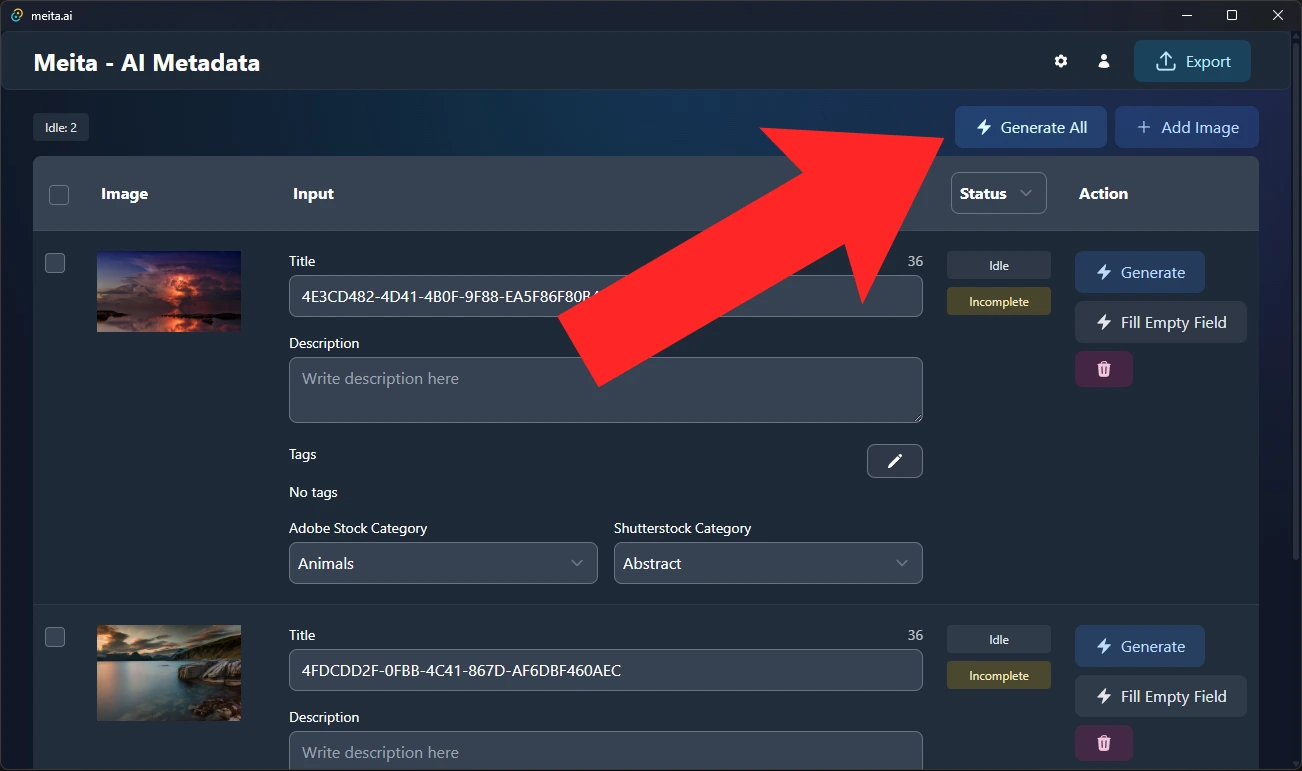
AI Generates Metadata
Click generate and the AI processes all your images in parallel — titles, descriptions, and up to 30 keywords each.
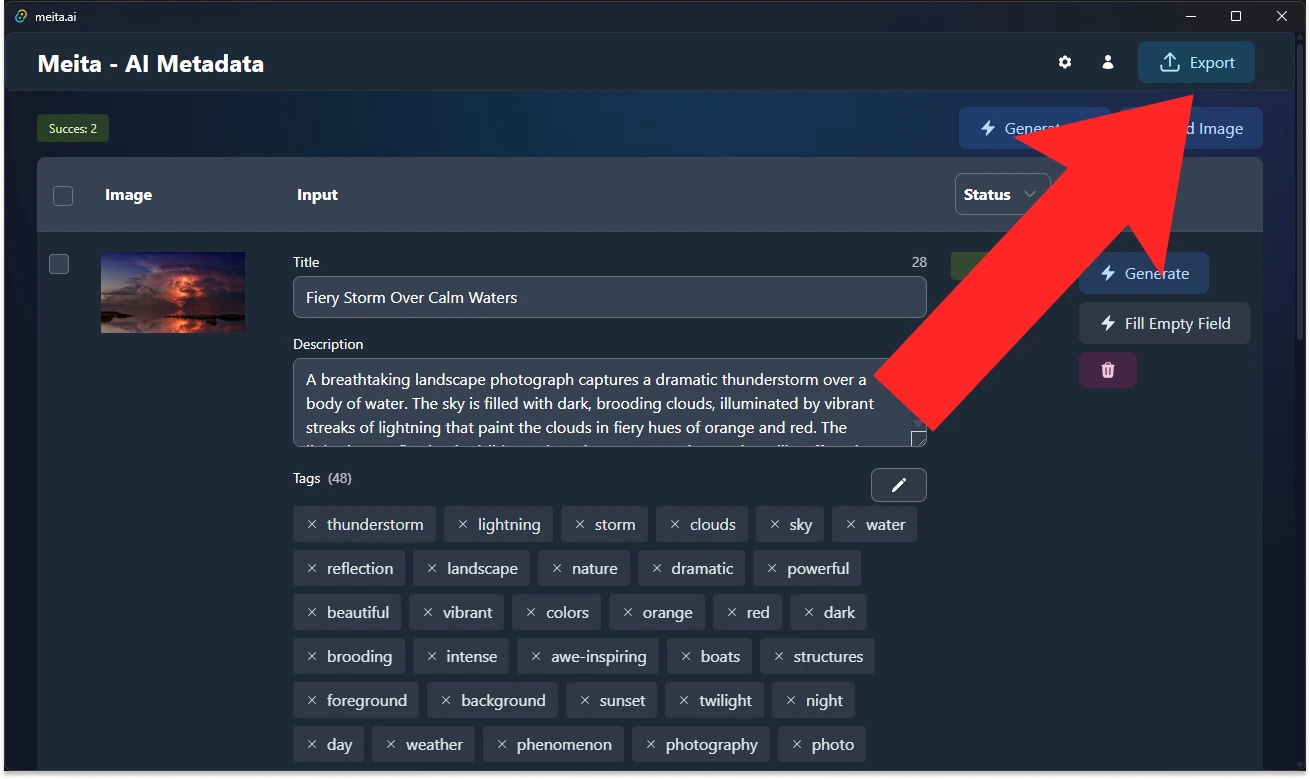
Export to Stock Platforms
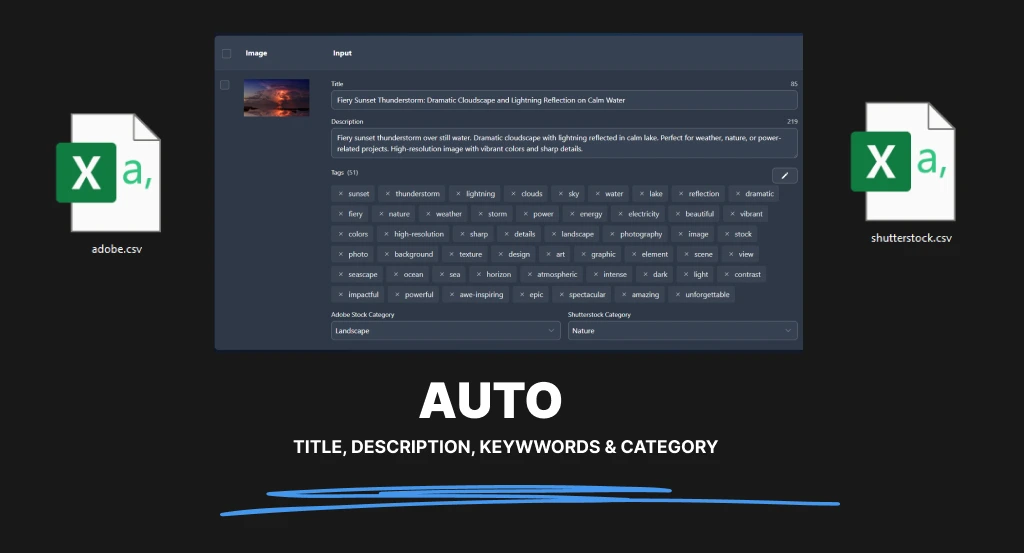
Export as CSV or inject EXIF metadata directly into your files for Adobe Stock, Shutterstock, Freepik, and more.
Supported Stock Photography Platforms
Generate metadata optimized for all major stock photography platforms. Export as CSV with one click.





+ More
+ More
Why Use AI for Stock Photo Keywording?
Save Hours of Manual Work
Manually keywording stock photos takes 5-10 minutes per image. AI generates accurate metadata in seconds, letting you focus on creating content.
Better Discoverability
AI-generated keywords cover more relevant terms than manual tagging, helping your photos rank higher in stock platform search results.
Consistent Quality
Get consistent, well-structured titles and descriptions across your entire portfolio. No more inconsistent tagging between upload sessions.
Increase Your Revenue
The faster you keyword, the more content you can submit. More submissions mean more sales. AI lets you scale your portfolio without scaling your workload.
Frequently Asked Questions
Is the AI metadata generator free?
Yes! Sign up and get 5 free AI metadata generations. For bulk processing, download the Meita.ai desktop app which supports your own API key (like Google Gemini, which is free) for unlimited generation.
What metadata does the AI generate?
The AI generates titles, descriptions, and up to 30 relevant keywords optimized for stock photography platforms like Adobe Stock, Shutterstock, Freepik, and more.
Which stock platforms are supported?
Meita.ai supports CSV export for Adobe Stock, Shutterstock, Canva, Freepik, Vecteezy, Dreamstime, Envato, and Pond5. You can also write EXIF metadata directly to image files.
How accurate is the AI keywording?
Our AI uses advanced vision models to analyze image content, context, and composition to generate contextually relevant keywords. You can review and edit all generated metadata before exporting.
Can I use my own API key?
Yes! The desktop app supports Google Gemini (free tier available), OpenAI GPT-4 Vision, and OpenRouter for multi-model access. Bring your own API key for unlimited generations.
Does it support video metadata?
Yes, the desktop app extracts frames from videos and generates metadata based on video content. It supports common video formats and can also handle audio files for Pond5.
Ready to Scale Your Stock Photography Workflow?
Bulk AI metadata generation, direct EXIF injection, SVG/EPS/PSD support, CSV export — all in one free desktop app.